
First, two terms: no-code and low-code
These tools are described with two labels. No-code means you build the automation by clicking ready-made blocks, without writing code. Low-code means you do most of it by clicking, but sometimes you need to add a small piece of code to do something unusual. This is one of the main differences between the three tools.
Zapier: the simplest, for connecting programs
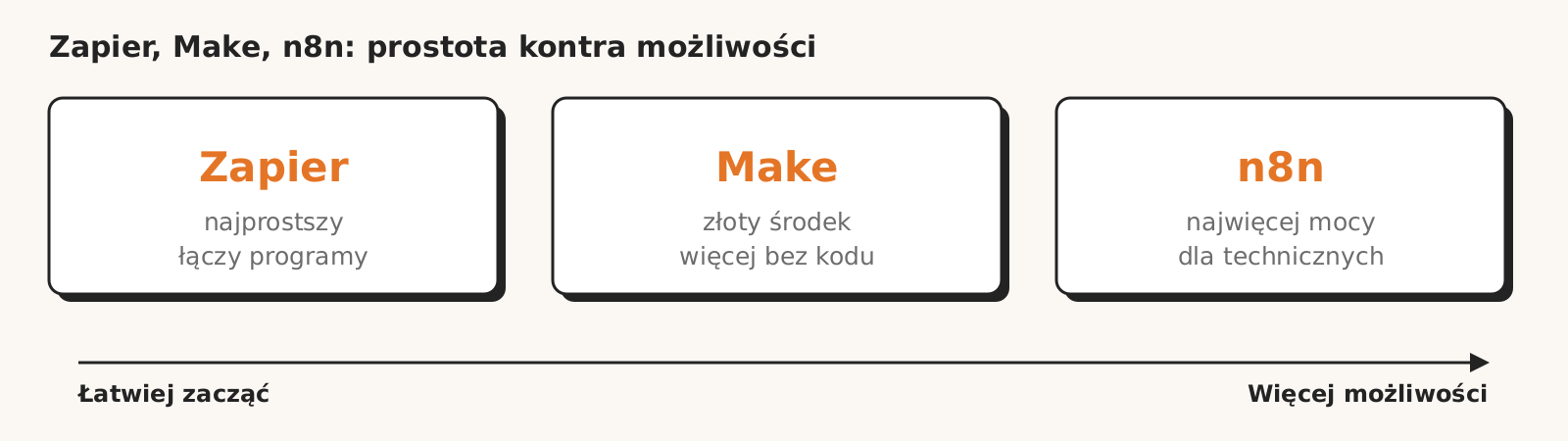
Zapier is the classic program connector. You set a simple rule: when something happens in one program, do something in another. No code, in a few minutes.
- Who it is for: people without a technical background and simple automations.
- Strength: the largest library of ready-made connections, it links with almost everything. The easiest start.
- Weakness: with more complex automations it quickly gets expensive and cramped.
Make: more possibilities, still without code
Make is the middle ground. It handles automations with many steps, conditions and branches, and still does not require programming. It shows the whole flow as a picture, so you can see what is going on.
- Who it is for: companies that need something more than “from A to B” but do not want to program.
- Strength: complex scenarios without code, cheaper than Zapier at larger scale.
- Weakness: the entry barrier is a little higher than with Zapier.
n8n: the most powerful, for the more technical
n8n gives you the most freedom, but it is a low-code tool. You can do a lot by clicking, but its full power is unlocked by someone who can add a piece of code. That is why it works best where there is a technical person on the team.
- Who it is for: teams with someone technical who can handle a bit of code.
- Strength: the most possibilities, the cheapest at large scale, and you can run it on your own server, so the data stays with you.
- Weakness: needs the most knowledge, it will not run itself.
It depends: how to choose
There is no single winner. There is a tool that fits your situation:
- You want it fast, simple and without technical people: Zapier.
- You have a more complex process but do not want to program: Make.
- You have someone technical and you care about full control, low cost at scale or keeping the data with you: n8n.
The customer does not care whether it is Zapier, Make or n8n. They care that the process works and pays off. The tool is a means, not the goal.
What is really not worth doing
Do not choose the tool at the start. First name the process and work out whether automation will pay off. The tool is chosen at the end, for a specific task. We usually start with the simplest one that is enough, and reach for a more powerful one only when the simpler one stops being enough.
Before we pick a tool, we check whether the process is worth automating at all Business process audit.
Frequently asked questions
Which one is the cheapest?
At larger scale usually n8n, because you can run it on your own server. Zapier can get expensive quickly as automations and operations pile up.
Does n8n require programming?
It is low-code: you can do most of it without code, but to get the most out of it, it helps to have someone who can add a piece of code.
Can I start with Zapier and move to n8n later?
Yes, many companies do. They start simple and move to a more powerful tool when automations pile up and the cost grows.
Which one will Roition choose for me?
The one that solves your problem most cheaply and most reliably. We start with the simplest tool that is enough, and suggest a more powerful one only when it is really needed.