
Google itself expects the numbers to diverge. In Google Ads Help on conversion data it says that discrepancies with Google Analytics often reach 20% because of different attribution models.
Not every difference is attribution, though. In an online store whose analytics we audited on 7 October 2026, we found four implementation errors that broke how conversions were counted and described. We cover them below as causes 3-6.
How a Google Ads conversion differs from a GA4 key event
A Google Ads conversion and a GA4 key event are two different measures. According to Google Analytics Help on key events, a key event is an action that is important to your business, measured in GA4, while a conversion is an action you use to measure your ad campaigns and set bids.
Google Ads counts only conversions after an interaction with an ad from the same account, for example after a click, as Google notes in its causes of data discrepancies. GA4 measures the whole website, meaning every channel the customer came from, within the limits of cookie consent.
So there is one purchase, but each tool asks a different question. Google Ads asks whether the purchase happened after an ad. GA4 asks which channel should get credit for the purchase.
6 reasons Google Ads and GA4 show different conversions
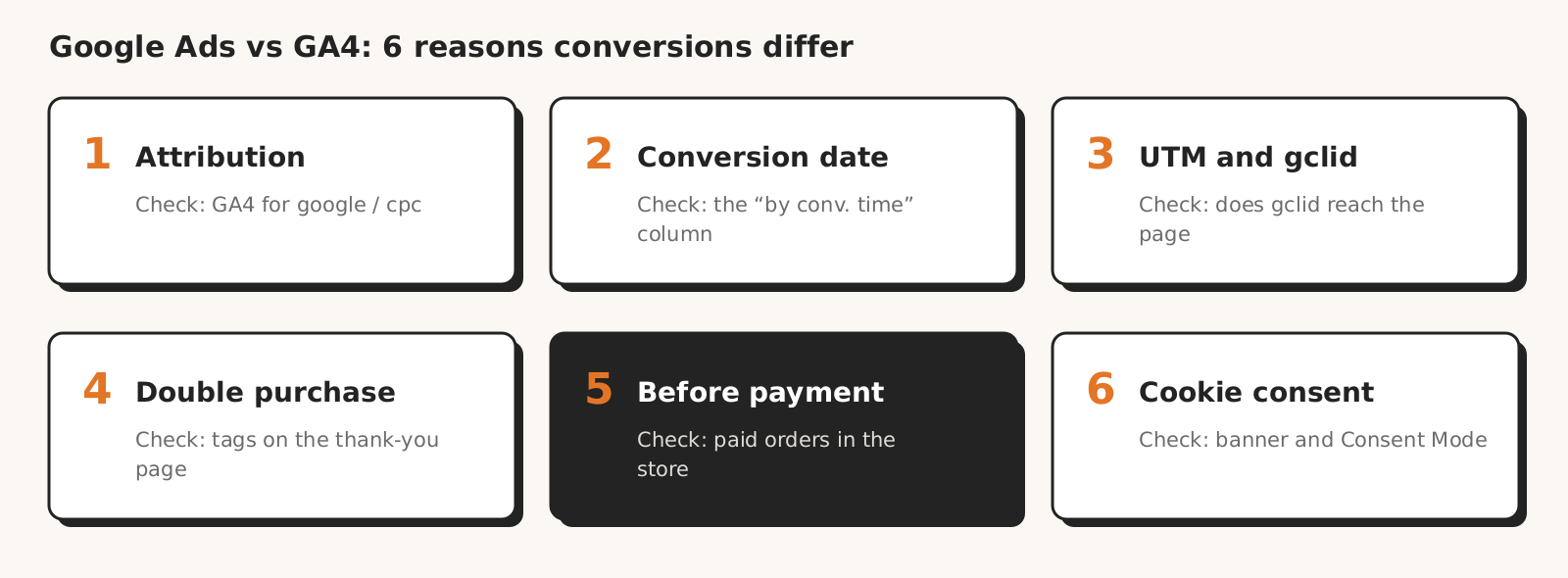
Google Ads and GA4 show different conversions for six reasons: different attribution, a different conversion date, ad traffic tagged differently, a purchase sent twice, a purchase counted before payment and cookie consent.
| Cause | How to spot it | How to check |
|---|---|---|
| 1. Different attribution | GA4 gives part of the sales to organic channels, Google Ads gives it to the ad | compare only google / cpc traffic in GA4 |
| 2. Different conversion date | daily numbers don't match, monthly ones are closer | the "All conv. (by conv. time)" column in Google Ads |
| 3. How ad traffic is tagged | sales from an ad look like another channel in the source data | click the ad and check the landing page URL |
| 4. Purchase sent twice | more conversions than orders, the same amount twice on the same day | tags on the thank-you page and the transaction ID |
| 5. Purchase before payment | conversions are there, but the store has fewer paid orders | a test order that you cancel |
| 6. Cookie consent | the gap changes after a banner or Consent Mode goes live | banner and Consent Mode on the site, go-live date |
1. GA4 splits a purchase between channels, Google Ads counts only ads
GA4 and Google Ads credit the same purchase to different sources because they follow different attribution rules. According to GA4 attribution settings, in GA4 reports, paid and organic channels can both receive credit by default, while GA4 conversions used in Google Ads by default credit only Google paid channels.
An example (made up for illustration): a customer clicks an ad, comes back a week later from organic results and buys. Google Ads will count the purchase as a conversion from the ad, while GA4 may credit it fully or partly to organic results.
GA4 offers three attribution models, and each of them excludes direct visits from receiving credit unless the whole path consists of such visits.
How to check: in GA4, narrow the report to traffic where the session source / medium dimension equals google / cpc, or open the Advertising section. This is what Google Ads Help recommends when comparing Google Ads and GA4 conversions.
2. Google Ads records the conversion on the click date, GA4 on the purchase date
Google Ads attributes a conversion to the day of the click, while GA4 attributes it to the day the purchase happened. According to Google Ads Help, if the ad was clicked last week and the purchase came this week, Google Ads will show both the click and the conversion last week.
Google Ads and GA4 also use different conversion windows. The default Google Ads conversion window after a click is 30 days, adjustable from 1 to 90. In GA4, the default lookback window for non-acquisition key events is 90 days. The same purchase can also land on different days if the Google Ads account and GA4 property use different time zones.
An example (made up for illustration): a purchase 45 days after the click will not reach Google Ads with the default window, while GA4 can still credit it to the ad.
How to check: add the "All conv. (by conv. time)" column in Google Ads, which Google recommends for comparisons with Google Analytics, check the time zones of both accounts and compare data older than 48 hours.
3. Ad traffic tagged differently than you think
The source of a Google Ads purchase, as GA4 and the store's order report see it, depends on the parameters in the link the customer arrived through. Google Ads appends the gclid click identifier to the link (auto-tagging), and according to Google Ads Help on auto-tagging, in GA4 auto-tagging takes precedence over manual UTM parameters.
The trouble starts when the gclid does not reach the site, or when the order source is read by a system that knows only UTM, for example the store's order report. The same Google Ads Help page warns that with redirects, the gclid must reach the landing page for conversions to be counted.
From our practice: in the audited store, the product feed plugin appended its own UTM parameters, with the chatbot as source and medium, to links from the Shopping campaign. The source parameter appeared in the link twice, the first value won, so sales from Google Ads looked like chatbot sales in the order source data.
How to check: click your own ad or a product from the Shopping campaign once and read the landing page URL. It should have a gclid and should not have someone else's or duplicated UTM parameters.
4. A purchase sent twice
Google Ads and GA4 can count a purchase twice when two sets of tags fire on the thank-you page. Google Ads Help on conversion setup warns that CMS plugins that manage tags can double-tag a site, which leads to duplicate conversions.
GA4 and Google Ads protect themselves against duplicates differently. GA4 rejects a purchase with the same transaction ID, while Google Ads does so only when the duplicate goes to the same conversion action. This is how GA4 Help on transaction IDs and Google Ads Help on transaction IDs describe it. Two plugins with two conversion actions get around this protection.
From our practice: after payment, the customer returned to the thank-you page on a different, technical domain of the store, where a second set of tags (two Google plugins and a Tag Manager container) sent the purchase a second time.
You can catch a duplicated conversion in the data alone. In our test of 8 AI models, a practitioner gave the highest score to the answer that spotted the duplicated conversion on its own: the same day and the same amount.
How to check: place a test order, go through the whole payment and use Tag Assistant to count how many tags send the purchase on the thank-you page. Also check that every purchase has a transaction ID.
5. A purchase counted before payment
A purchase in Google Ads and GA4 should count only after payment. Google Ads Help says the tag on the order confirmation page should count a conversion when the customer has completed a valuable action. In a store, we consider that action to be a paid order.
When the purchase event fires after the customer clicks "Place order" but before payment, both tools also count orders nobody paid for. Google Ads and GA4 may then even agree with each other, and both tools disagree with the number of paid orders in the store.
From our practice: in the audited store, the purchase was sent before payment, so cancelled and unpaid orders counted as conversions. After the fix on 7 October we expect fewer conversions in Google Ads, because unpaid orders stopped counting, so for 2-3 weeks we are not judging the Shopping campaign by this number.
How to check: place a test order, cancel it before payment and check whether the purchase showed up in GA4 or Google Ads. Then compare conversions with the number of paid orders in the store for the same period.
6. Cookie consent: both tools model the gaps, each with different thresholds
Missing cookie consent cuts data in both tools, but Google Ads and GA4 fill the gap differently. According to the Consent Mode in Google Help, in advanced mode, tags send cookieless pings when consent is denied, and Google products model the missing data from them once the tags reach a data threshold.
The thresholds differ. Conversion modelling in Google Ads requires, among other things, 700 ad clicks in 7 days (per country and domain grouping). Behavioural modelling in GA4 requires advanced mode, at least 1,000 events per day from non-consenting users for 7 days and, among other things, 1,000 consenting users per day on 7 of the last 28 days.
Without a model, GA4 does not report events from people who denied consent, while the "Conversions" column in Google Ads may include modelled conversions.
From our practice: the audited store's website had neither a cookie banner nor Consent Mode v2. We implemented both on 7 October, so comparing conversions before and after that day means comparing two different ways of measuring.
How to check: whether the site has a banner and Consent Mode, in which mode, and since when. According to the description of Consent Mode, Consent Mode alone does not provide a consent banner, it only works with one, so you need both. Do not compare periods before and after consent went live as if they measured the same thing.
Checklist: how to compare Google Ads and GA4 conversions
Compare Google Ads and GA4 conversions only after eight checks: the same traffic, the same date, the same time zones, gclid in the link, one set of tags, a transaction ID, the purchase after payment and the same consent settings in the periods you compare.
- 1Are you comparing only google / cpc traffic in GA4, and not all sales?
- 2Are you looking at the "All conv. (by conv. time)" column in Google Ads?
- 3Do the Google Ads account and the GA4 property use the same time zone, and is the data older than 48 hours?
- 4Does the ad link reach the site with a gclid and without duplicated UTM parameters?
- 5Does only one set of tags send the purchase on the thank-you page?
- 6Does every purchase have a non-empty transaction ID?
- 7Does the purchase count only after payment?
- 8Were the same consent settings active in the periods you compare?
According to Google, the difference that remains after these eight points comes from different attribution models, conversion windows (in GA4: lookback windows) and the way each tool processes data. If Google Ads shows more conversions than the store has paid orders, start with points 5-7.
How Marketing Workspace helps you check conversion tracking
Marketing Workspace, our AI assistant for Google Ads, Meta Ads and GA4 accounts, reads conversions from Google Ads and GA4 and has a conversion tracking check in Google Ads. The GA4 module and the checks only read data:
- The GA4 module answers questions about conversions and key events, acquisition sources and channels, and ecommerce data. It changes nothing in GA4 and pulls data at the moment you ask (GA4 module documentation).
- The "Conversion tracking" check in Google Ads points out errors in conversion settings: several primary actions measuring the same thing (risk of double counting), actions that stopped recording in the last 7 days, and the counting method (every or one conversion per click).
- Every answer in the Google Ads and GA4 modules goes through a reliability check: did the assistant pull data from the account, and do the numbers in the text have a source in it.
The "Conversion tracking" check does not inspect the tag on the site or consent, only what Google Ads sees, as we state in the Google Ads module documentation. Ad traffic tagging, a duplicated purchase tag, a purchase before payment and cookie consent live in links, site code and the payment gateway, so the test order is something you do yourself.
See how Marketing Workspace works

Founder of Roition, independent Google Ads API developer
Founder of Roition, with almost 3 years of Google Ads experience. Designs and builds process automation for Polish companies: system integrations, handling enquiries and quotes, AI assistants working on company data.
Frequently asked questions
Which number is the real one, Google Ads or GA4?
Neither is "real" on its own, because each answers a different question. Google Ads counts purchases after an interaction with an ad and attributes them to the click date. GA4 splits purchases between channels. The reference point for both is paid orders in the store.
Why does Google Ads show more conversions than GA4?
Because by default GA4 also credits organic channels, and Google Ads credits the ad. The "Conversions" column in Google Ads may also include modelled conversions, while GA4 without a model doesn't report non-consenting users' events. If conversions exceed paid orders, check for a duplicated purchase or one counted before payment.
Why does Google Ads show fewer conversions than GA4?
Because GA4 counts the purchase key event from every channel, Google Ads only after an ad interaction in the same account. Within google / cpc traffic, the gap can come from purchases after the Google Ads conversion window (default 30 days, 90 in GA4) and a gclid that doesn't reach the site.
What difference between Google Ads and GA4 is normal?
Google says in Google Ads Help that discrepancies often reach 20% because of different attribution models. We don't give our own threshold: if the gap suddenly grows or you can't explain it with attribution and date, go through the checklist.
Should I import GA4 conversions into Google Ads or use the Google Ads tag?
The Google Help we cite doesn't recommend either, it points out two differences. According to Analytics Help on importing conversions, imported conversions have no view-through conversions, which require the Google Ads tag, and Google Ads marks GA4 actions as secondary to avoid counting the purchase twice.
Which Google Ads column should I compare with GA4?
"All conv. (by conv. time)". Google recommends it for comparisons because it counts conversions by the purchase date, not the click date. We explain how "Conversions" differ from "All conversions" in our post on wrong numbers from AI.
Why does Google Ads show fractional conversions, for example 0.33?
Because data-driven attribution splits the credit for one conversion between several ad clicks. According to Google Ads Help, data in conversion columns always has two decimal places.
Why do Google Ads conversions change retroactively?
Because Google Ads attributes a conversion to the click date and can report it up to 90 days after the click. Google also removes some conversions it deems invalid after the fact, which looks like a small drop.
Why does GA4 credit sales from an ad to a different channel?
Most often because of attribution: GA4 by default gives credit to organic channels too. When sales from an ad look like a completely different channel, for example a chatbot, check the parameters in the link and whether the gclid reaches the site.